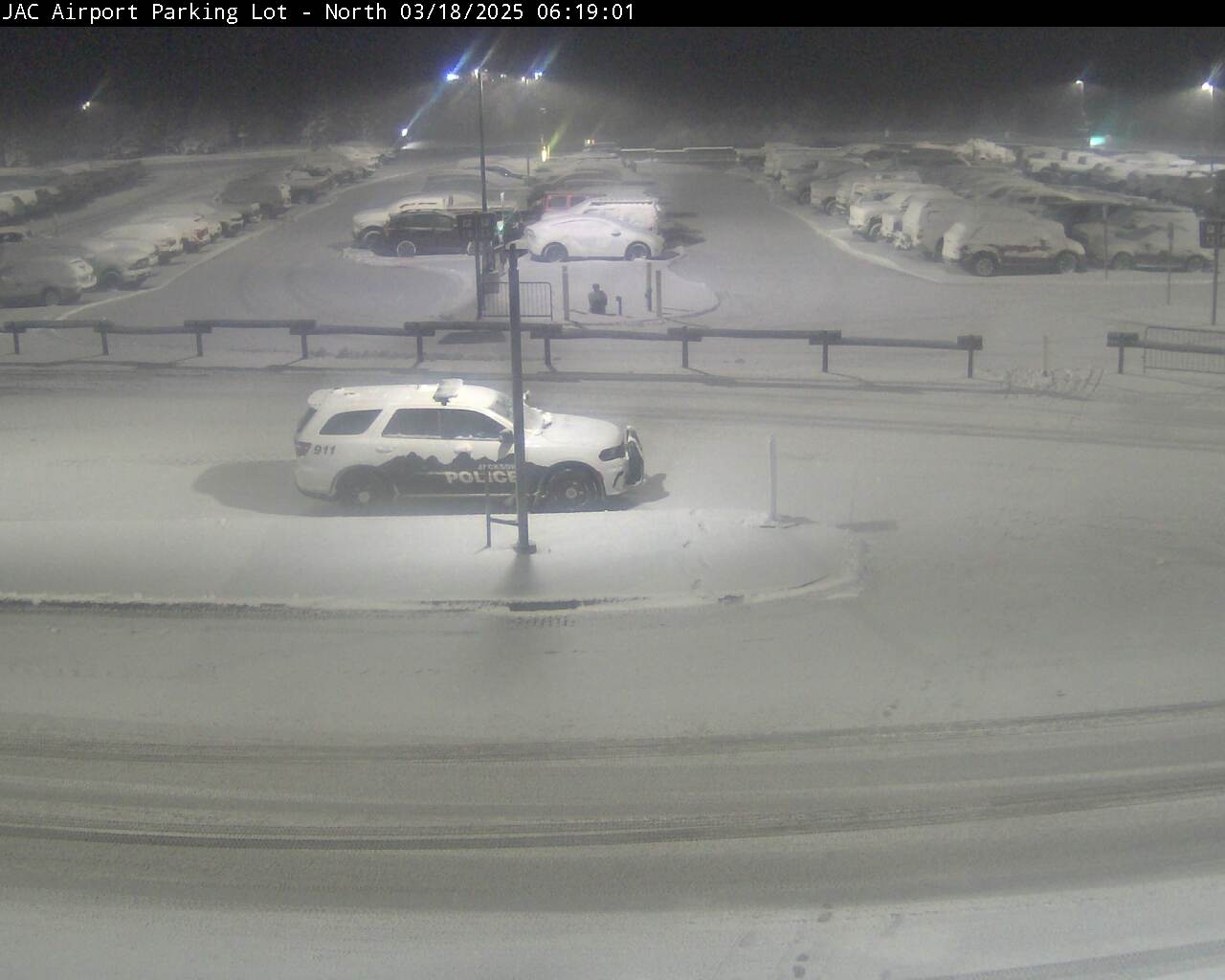
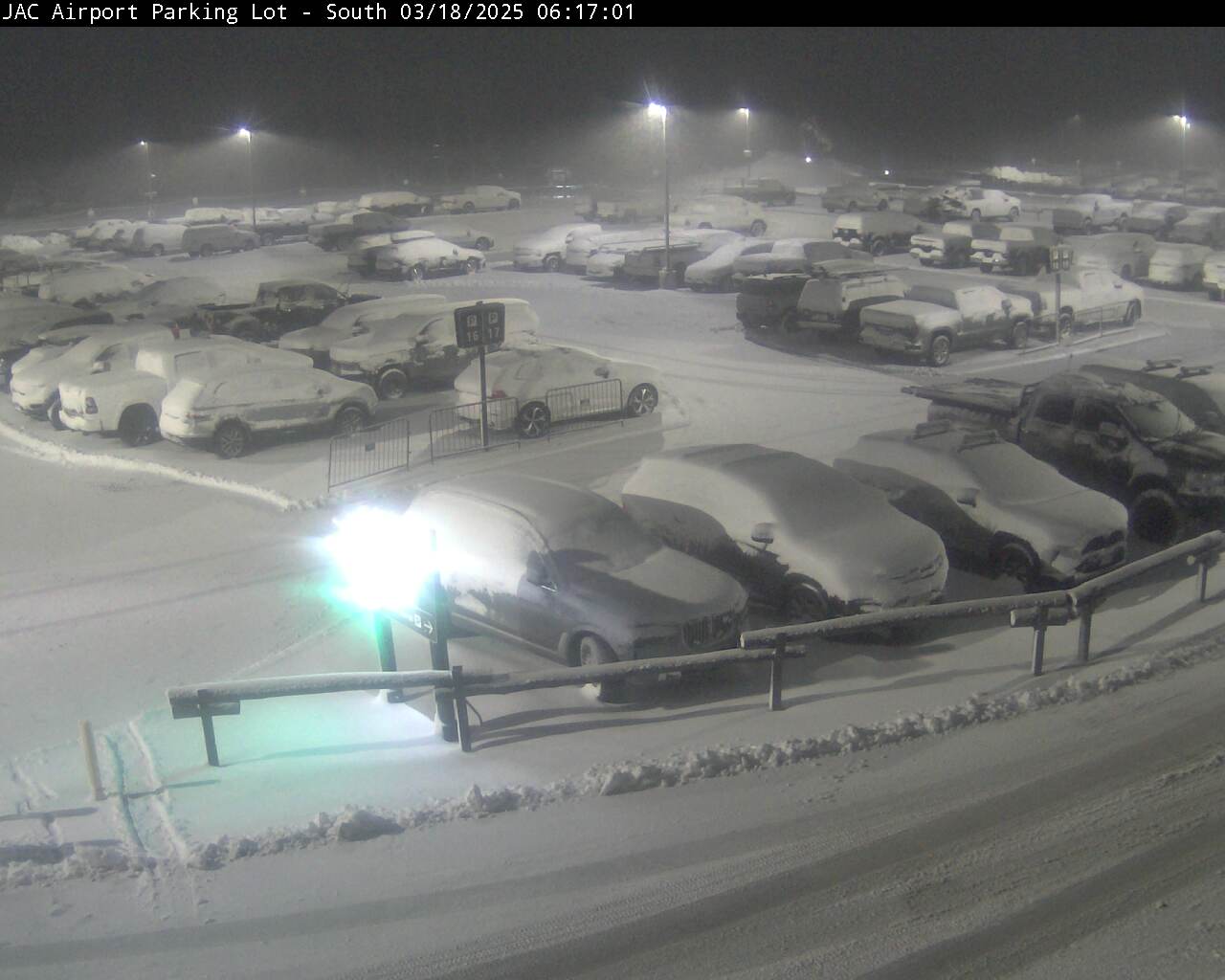
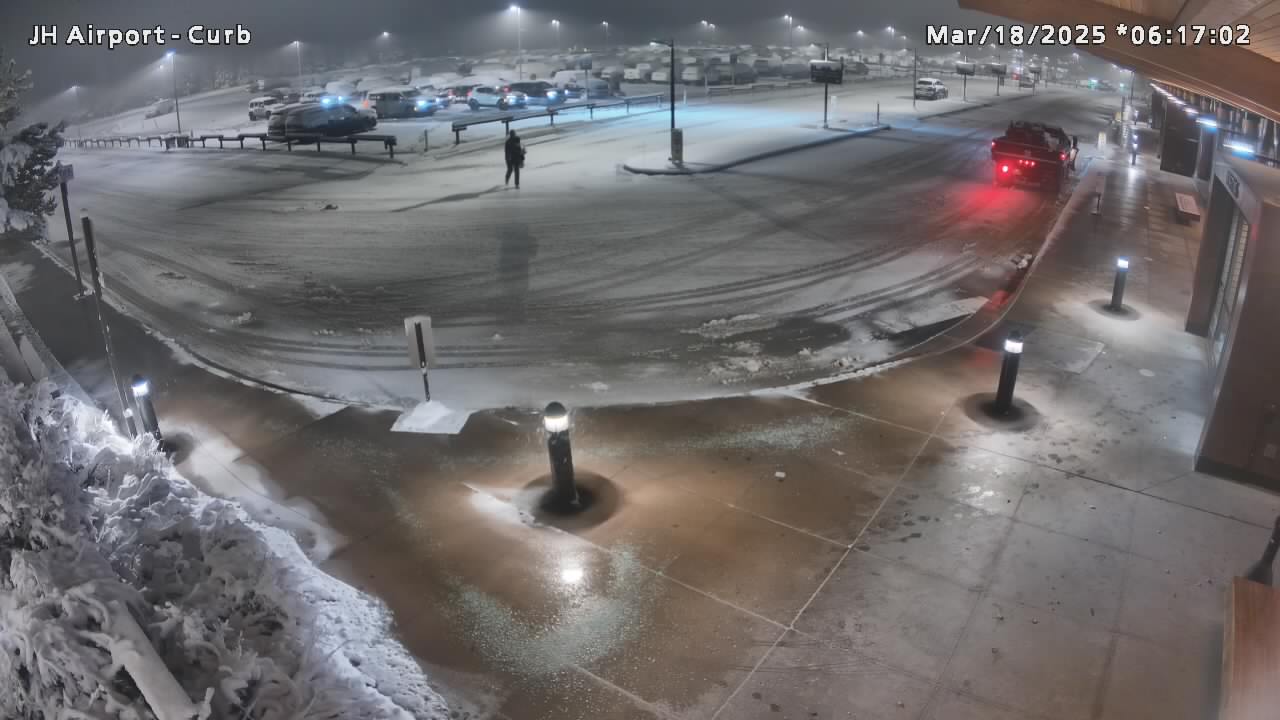
The Jackson Hole Airport has both short term and long term parking available onsite for passengers. We recommend taking advantage of taxi/shuttle services available from Jackson to the Airport, or have someone drop you off two hours prior to your departure. You may also view one of our parking lot webcams to check parking availability before you drive to the Airport.

PARKING
Parking Status
All Parking Availability
34% AVAILABLE
Updated: 11:36 pm
Parking Lot Cameras
PUBLIC PARKING LOT IS FULL
Long Term Parking
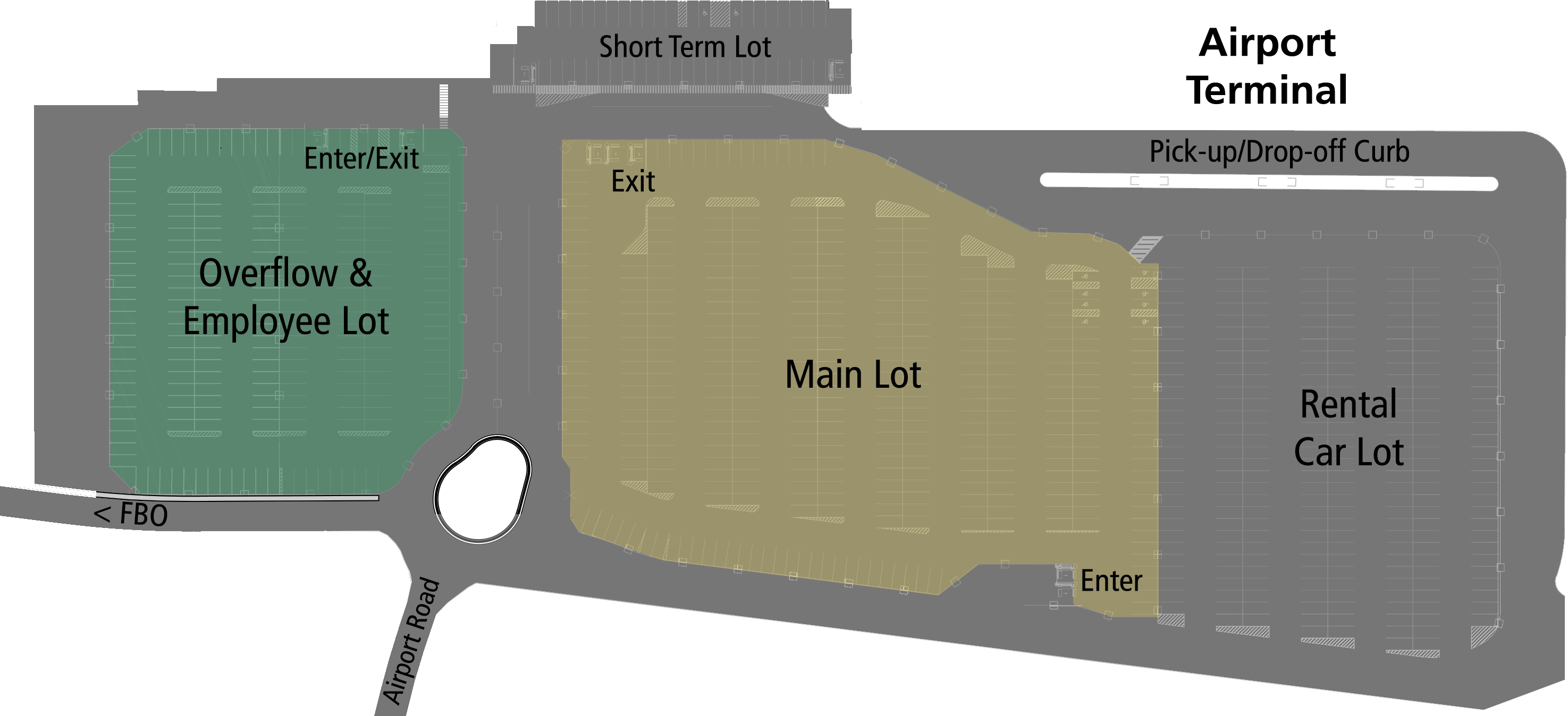
The main and overflow parking lots can be occupied for up to (1.5) hours for free.
Pricing
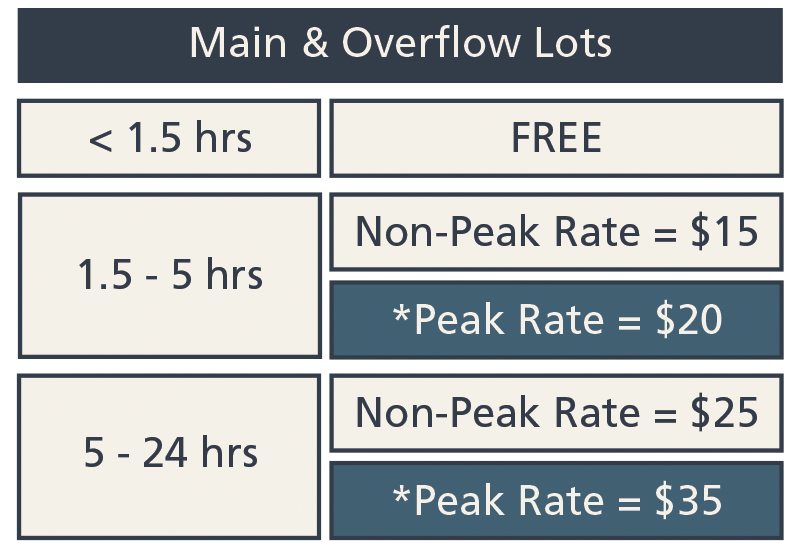
*2026-27 Peak Dates
- Summer: August 27-29 ; September 3-5
- Fall: November 21-29
- Winter: December 19-January 3 ; January 7-9 ; January 14-16 ; January 21-23 ; January 28-30 ; February 4-6 ; February 11-13 ; February 18-20 ; February 25-27
- Spring: March 4-6 ; March 11-13 ; March 20 – April 4
JAC Parking Program pricing is not available during Peak Date periods. 2026-27 peak dates are valid July 1, 2026 through June 30, 2027.
Short Term Parking
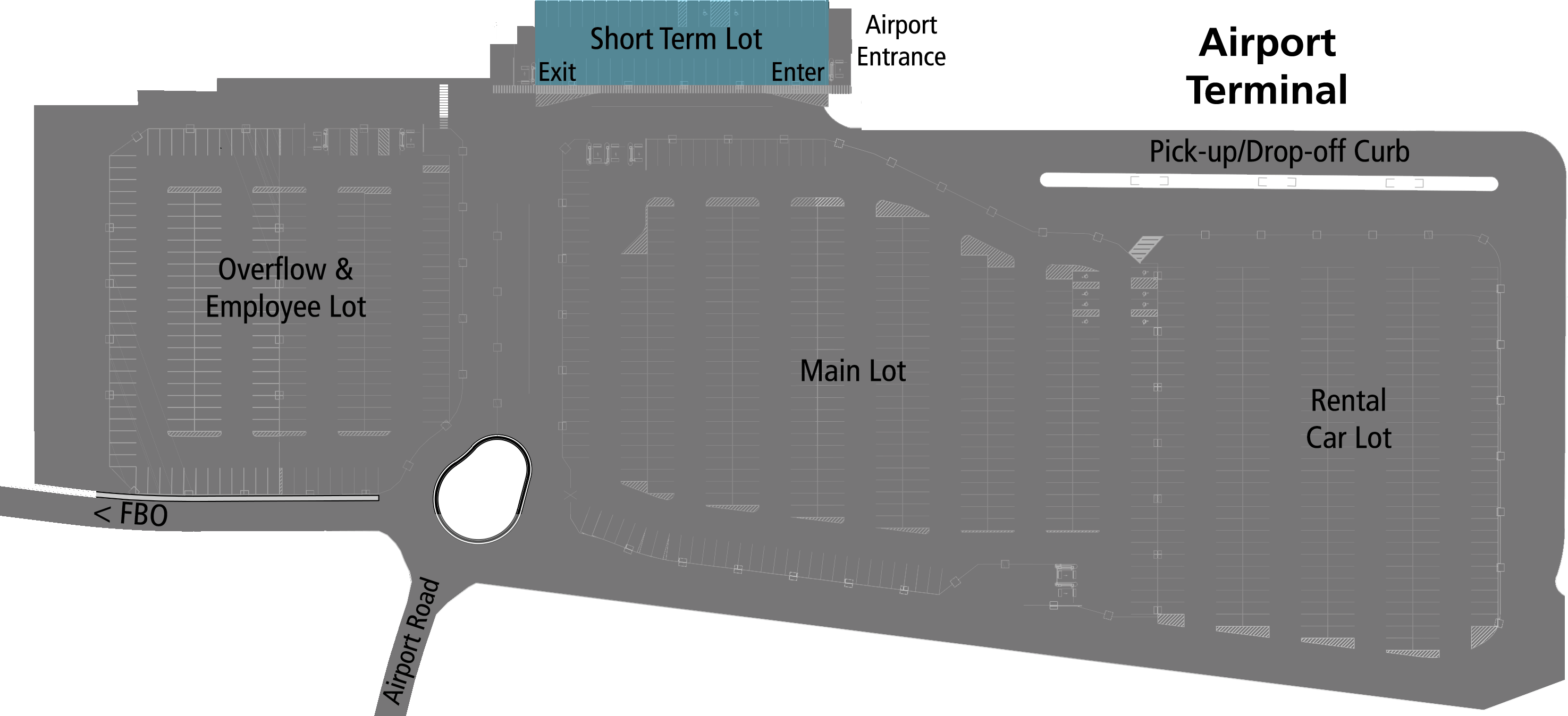
Short term parking is located at the south end of the airport terminal and FREE up to 1.5 hours. This lot is not meant for overnight parking.
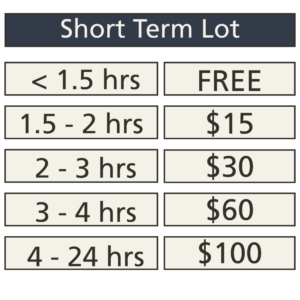
A max of $100 per 24 hour period will be applied.
How to Pay for Parking
Mobile Payment Option
1. When entering any parking lot, please take an entry ticket from the parking kiosk. Keep the ticket with you or place it in our vehicle. Be sure to keep the entry ticket somewhere safe and out of direct sunlight (you do not need to display your parking pass in your vehicle).
2. Upon returning to the Airport, use your phone to scan the QR code on the entry ticket that you received when entering the lot. The QR code will take you to a link where you can pay for your parking online. You do not need to download an app to use mobile pay.
3. Follow the prompts on the website to complete your payment online. There is a 60 minute “leave time” or grace period from the moment you confirm payment to exit the parking lot.
4. Once you have confirmed payment online, you can insert your entry ticket into the parking kiosk to exit the lot.
Please note:
- – If you exceed the 60 minute “leave time” or grace period, the parking system will begin adding additional charges and you will have an additional balance due
- – If using mobile pay before arriving at your vehicle, it’s important to confirm items such as baggage in the terminal before paying online so as to not exceed the 60 minute “leave time” or grace period
- – Airport users can take and use a picture of their entry ticket QR code on their phone
- – Parking receipts can be obtained through the online payment system
Standard or Manual Payment Option
1. When entering any parking lot, please take an entry ticket from the parking kiosk. Keep the ticket with you or place it in our vehicle. Be sure to keep the entry ticket somewhere safe and out of direct sunlight (you do not need to display your parking pass in your vehicle).
2. Upon exit, parking fees can be paid at the kiosks located at each parking lot exit. Scan your entry ticket at the kiosk and follow the prompts for payment based on your length of stay and parking location.
If you did not receive or have lost your parking receipt but need it for reimbursement, etc., please fill out the following form with the relevant information and a receipt will be emailed to you within 72 hours.
Parking Receipt Request
Cell Phone Waiting Lot
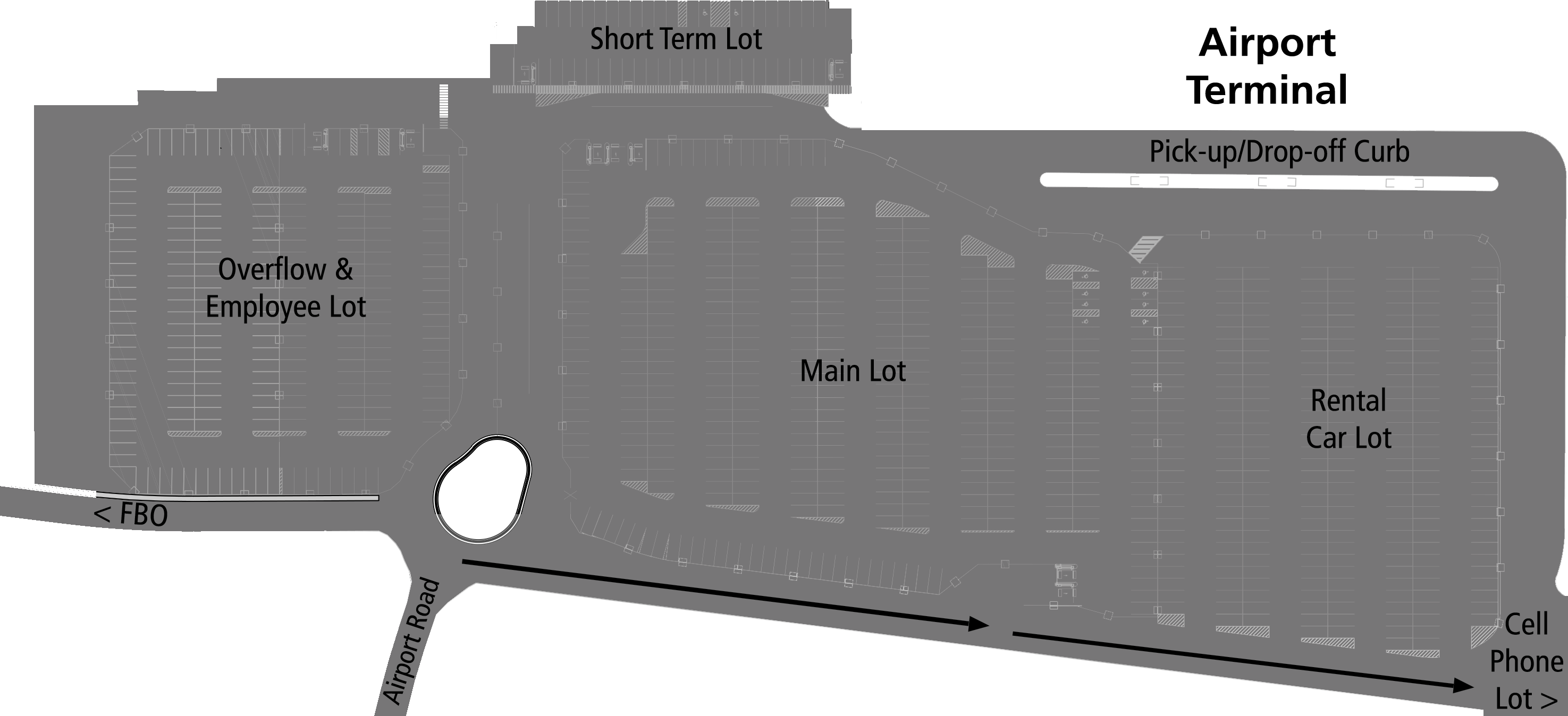
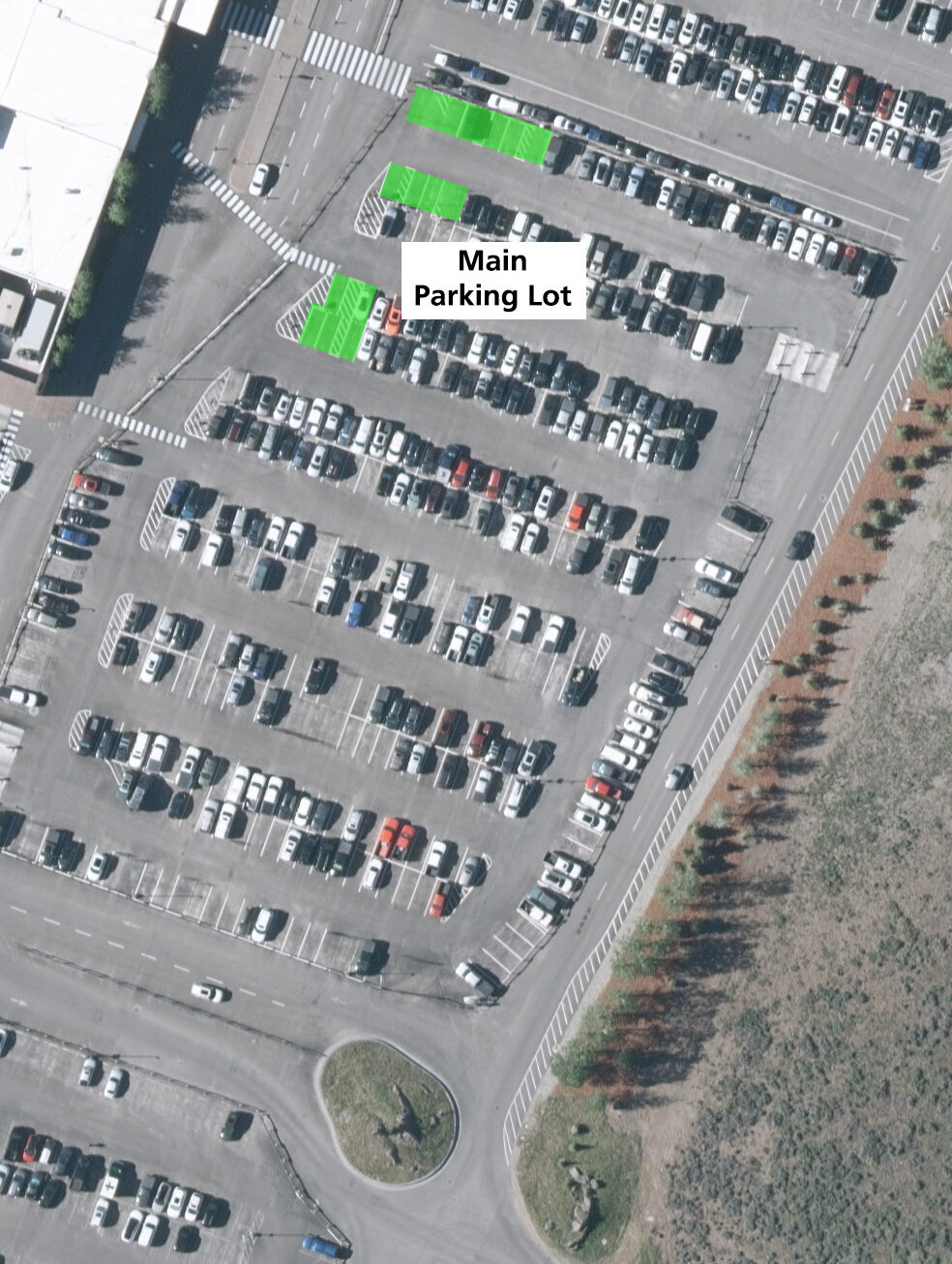
The cell phone lot waiting area is located in the northeast corner of the airport’s parking area, past the Main Parking Lot and the Car Rental Lots.
There are limited spaces available in this lot. Airport users can also park in the short term lot for up to (1) hour for free.
Curbside
For efficiency and safety, the curbside area at the terminal is for active loading and unloading of bags and passengers only. Please do not leave your vehicle unattended at the curbside of the terminal. If vehicles are left unattended, the Airport may issue a ticket and possibly have the vehicle towed.
Here are some other tips for using the curbside area and picking up or dropping off:
- – You can park in the short-term lot located next to the baggage claim exit. The short-term lot is free for 1.5 hours or less.
- – You can utilize the cell phone waiting lot (above) until your guest is ready for pickup.
- – Actively loading or unloading vehicles can use the exterior lanes located in front of the terminal for picking up and dropping off passengers along the curbs.
- – Having a driver stay with the car and ensuring guests are ready for arrival or departure when using the curbside areas is critical for flow of traffic.
- – If extra time is needed, consider driving a loop around the facility or parking in a lot so other vehicles can access the terminal while you wait.
- – Through traffic uses the middle lane in front of the terminal. Parking in the middle lane creates gridlock and blocks other drivers from exiting the curb areas.
- – Please yield to pedestrians and avoid parking on designated crosswalks.
- – Empty vehicles left on terminal curbs look suspicious. Safety is our top priority at JAC, and unattended cars may be ticketed or towed to ensure the safety of airport users.